
IE offers a 24/7 machine-proctored undergraduate admissions test and, subject to staff availability, a human-proctored option. Applicants need a personal computer with integrated camera and microphone, a stable internet connection and a basic calculator. IE recommends blocking two uninterrupted hours even though the test itself usually takes less time.
The decision behind the test
The test becomes available through the Admissions Test section of the online application after the required application progress and fee payment. Machine proctoring offers flexible timing, but that flexibility increases personal responsibility for the room, device and connection. Applicants with special educational needs should contact undergraduate admissions and select the human-proctored route as instructed by IE.
Current official position
The official FAQ states that the test is in English, has no set break and may only be taken once. Example questions appear during the session. If the test is blocked, IE directs applicants to contact the undergraduate admissions team with the specified subject line; the page says the team will respond within 24 working hours.
Our recommended next steps
Update the operating system only well before test day, close background applications, test camera and microphone, connect power and remove interruptions. Place permitted materials within reach and clear the desk. Complete the official technical check. Start early enough that a support issue does not collide with an application deadline. Keep the admissions contact details available on another device.
Mistakes we recommend avoiding
Do not begin on weak Wi-Fi, a shared computer with unknown restrictions or a room other people may enter. Do not expect to pause for a routine break. Avoid opening the one-attempt assessment merely to inspect it; complete the official examples and setup first.
What happens after the test?
Once submitted, the result goes directly to the Admissions Committee. Continue with the online assessment when invited and monitor the application portal and email. Report a genuine technical incident through the official route promptly and factually.
Rehearse the exact room-and-device combination
Run the technical check on the personal computer, browser, camera, microphone, connection and desk you will use. Include the basic calculator permitted by the current instructions, close background applications and make sure nobody needs to enter the room. Then complete a short timed reasoning set without changing the setup. This exposes interruptions and display problems that a camera-only test would miss.
Choose the test window only after the application has unlocked the assessment and the setup is stable. Reserve the full two hours IE recommends, even if the reasoning work is usually shorter. Save the undergraduate admissions contact and the official subject line for a blocked test on another device. If access fails, report the exact message and wait for guidance rather than opening duplicate accounts or repeatedly launching a one-attempt assessment.
Choose the proctoring route deliberately
Machine proctoring provides the widest flexibility because the assessment is available around the clock. Flexibility also transfers more responsibility to the applicant: there is no scheduled room or staff member to notice that the camera is blocked, the connection is unstable or the household is about to become noisy. A human-proctored session may be available subject to staff capacity and is the route IE identifies for applicants who need accommodations after contacting undergraduate admissions.
Make that choice before preparing the room. If special educational needs apply, begin the official conversation early and wait for instructions rather than opening the machine-proctored attempt. The IE test is normally taken only once. Starting the wrong version simply to inspect it is not a harmless preview.
The assessment link appears in the online application after the required progress and fee payment. Confirm that the application account displays the intended undergraduate programme and that the test section is accessible. Do not confuse this route with the postgraduate ieGAT.
Test the entire setup, not individual devices
IE requires a personal computer with an integrated camera and microphone, a stable internet connection and a basic calculator. Check the current technical instructions for the exact permitted setup. A camera that works in a video-call app may still lack browser permission; a fast network can still drop when other household devices are active.
Rehearse on the same computer, browser, desk and connection. Connect power, update software well in advance and restart before the rehearsal. Close communication, recording, synchronisation and remote-access tools. Disable notifications and prevent automatic updates. Check screen scaling so instructions and response controls are visible.
Prepare a private room. Clear the desk except for explicitly permitted items, position lighting so your face is visible, and tell others not to enter. If possible, arrange a backup connection, but do not switch during the live attempt unless the instructions or support team direct it. Keep the official admissions contact details on another device for an access failure.
IE advises reserving two uninterrupted hours even though the test itself often takes around 70 to 90 minutes. The extra margin covers setup, examples and instructions. Do not place another meeting immediately after the planned finish; external time pressure encourages rushed decisions and makes a technical delay harder to manage.
A calm start protects the timed sections
Sleep and a normal meal matter more than last-minute drilling. Before beginning, complete a short sequence: power connected, network stable, camera and microphone permitted, calculator present, phone removed and door secured. Use the official examples to learn response mechanics. They are also the safe place to confirm how the interface behaves.
Once a timed section starts, answer only from the supplied evidence. Numerical and verbal items can tempt applicants to add outside facts. Deductive logic rewards identifying the transformation before searching the options. Learning-efficiency items require an orderly scan rather than frantic memorisation. There is no scheduled break, so maintain a sustainable pace from the start.
The test evaluates speed and correctness, and incorrect answers can affect the outcome. Do not spend a disproportionate amount of time on one item. Practise a stopping rule in advance: if no new evidence or method has appeared after the allotted interval, continue. The exact balance should come from official examples and your own rehearsals, not a claimed secret scoring formula.
Respond to an incident without making it worse
If the assessment is blocked before it begins, record the precise message and stage. IE directs applicants to contact the undergraduate admissions team with the subject line specified in its FAQ and indicates a response within 24 working hours. Use that route instead of creating another account or repeatedly launching the one-attempt test.
For a disruption during the session, note the time, connection status and visible error as soon as it is safe and permitted. Report facts, not conclusions about the score. Do not reconstruct secure questions in the support request. Preserve the ticket or email and follow the team’s instruction on whether further action is possible.
Distinguish a technical event from normal test difficulty. Feeling rushed, finding a section hard or regretting an answer is not a platform failure. Accurate incident reporting helps admissions investigate genuine problems and avoids weakening the request with speculation.
What happens next after the test?
After submission, the result goes directly to IE’s Admissions Committee; applicants do not manage a conventional score report. Check that the application is complete, then prepare for the online assessment with written and video responses. Some candidates may later be invited to a personal interview. Continue monitoring both the portal and the registered email.
Because the IE test is a one-attempt assessment, there is no ordinary retake schedule to build. If a documented technical incident occurred, wait for the university’s response. Otherwise, move attention to the personal and communication stages of selection. Review your submitted application so later answers remain accurate and consistent.
The final committee decision arrives in writing. Admission can still require final transcripts, diploma evidence, payment and enrolment actions. International students may also need recognition, immigration and relocation steps. Let the actual decision trigger those tasks; immediately after the test, the correct focus is completing the online assessment and keeping the admissions file current.
Relevant preparation
Preparation for IE University
Choose the option that fits your next step. Scope and current pricing are shown on the offer page.
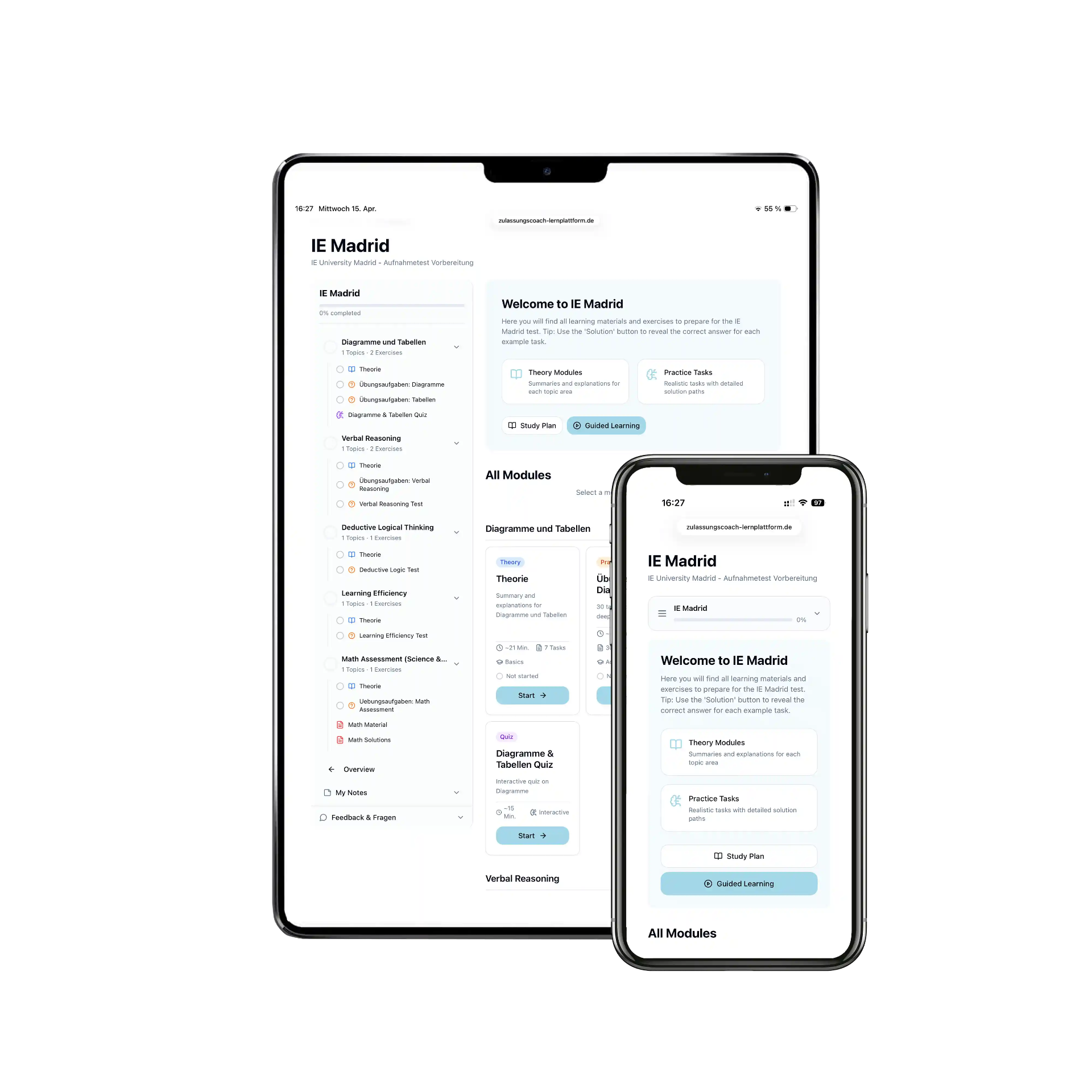
IE Madrid E-Learning
Prepare flexibly with structured lessons, exercises and practice material.
View offerIE Madrid 1-Day Seminar
Structured live preparation with direct guidance and room for questions.
View offerIE Madrid 2-Day Seminar
Structured live preparation with direct guidance and room for questions.
View offerZulassungscoach is an independent provider and is not affiliated with the institution or test provider named here.